Emporia's products all work together in one app, and they run when electricity costs less. Set them up once, and the savings happen in the background.
$4,000,000+ Saved by Emporia customers using home energy management.
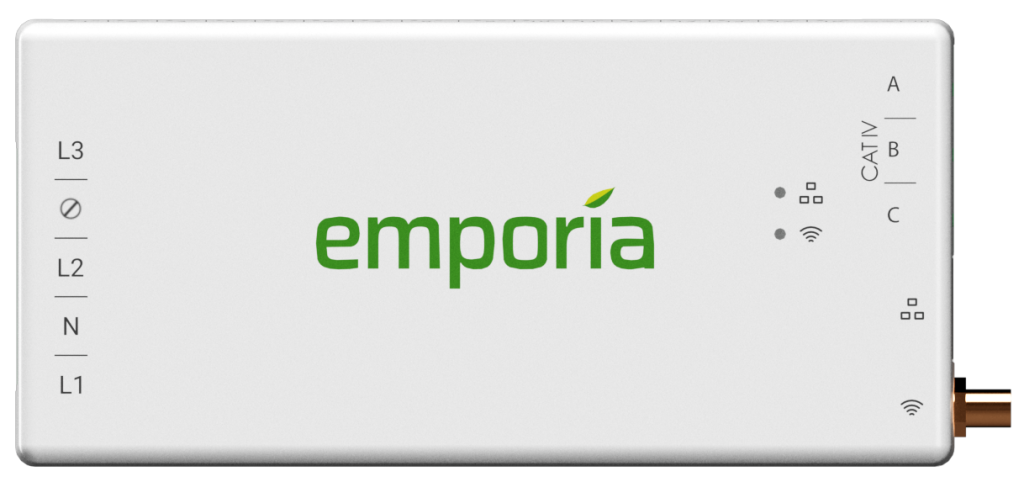
Your utility bill tells you the total. The Emporia Vue tells you the story behind it, circuit by circuit, in dollars instead of kilowatt-hours. When you can see what the dryer, the AC, and the EV actually cost to run, the waste gets obvious, and so does the fix. It all shows up in the same app as your other Emporia products, so the whole home is one view, not a pile of numbers.
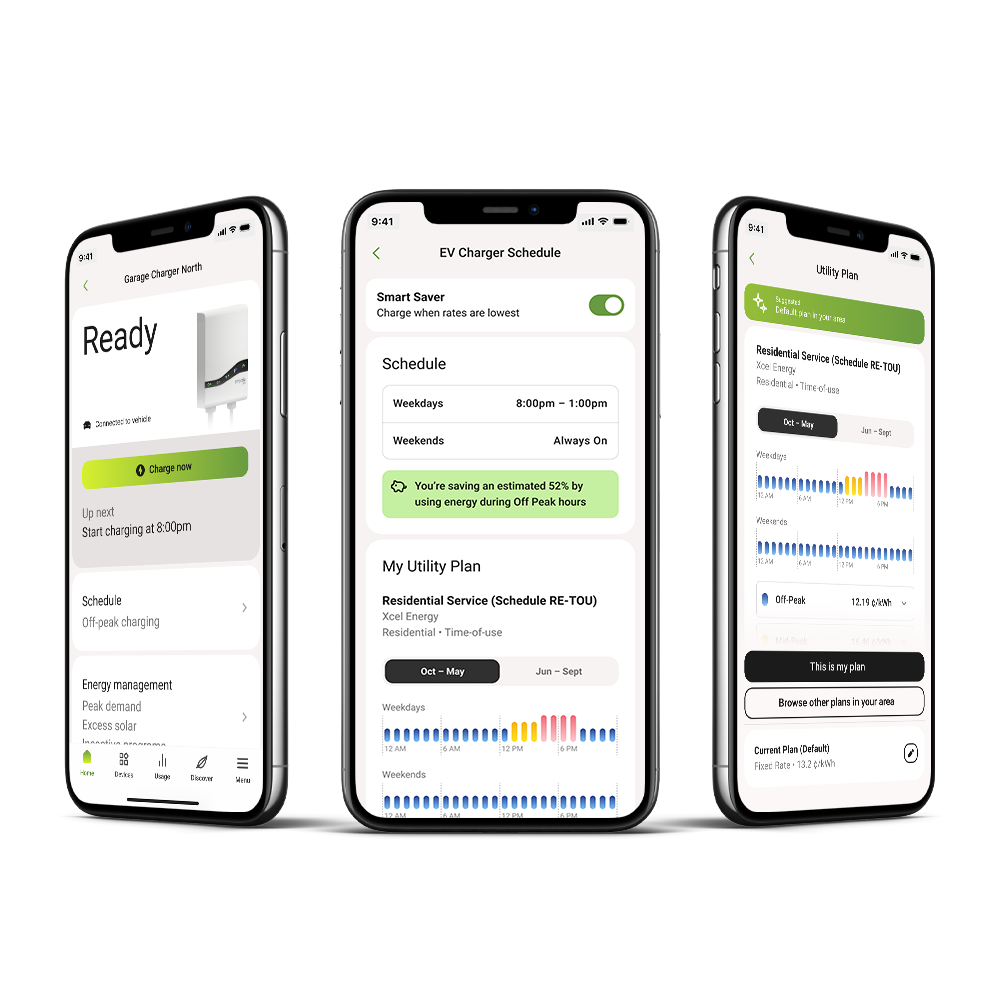
Many utilities charge more at certain hours of the day. That pricing is called time-of-use, and it's why the same load of dishes can cost different amounts depending on when you run it. In the Emporia app, you pick the schedule once, and your devices stick to it: the EV charges overnight, the appliances run in the cheap hours, and peak prices pass you by. If you're on a time-of-use plan, SmartSaver schedules your EV charging around your rates automatically.
Some utilities add extra charges when your home draws a lot of power at once. Your Emporia devices ease off automatically before you cross that line, so a busy afternoon never shows up as a spike on your bill.
Skip the $3,000 to $8,000 panel upgrade most homes need. The Emporia Pro with PowerSmart works with the panel you have and still charges your EV up to 9x faster.
When your panels make more power than your home is using, your Emporia devices put it to work: charging the car, topping off the battery, or cooling the house. You paid for the panels, so the power should stay in your home.
Once your devices are on a schedule, the automation handles the rest: charging shifts to the cheap hours, devices ease off before demand charges kick in, and extra solar gets used instead of wasted. The app is the other half of the deal. It shows what your home is doing as it happens, in dollars, so the savings are something you can see, not just hope for.
The people best qualified to review this setup are the ones living with it. Here's what verified buyers say in the Emporia shop. You can read more about the app on the App Store and Google Play.
Verified customer Roy M., Maryland"Installation was pretty involved, but once I got the system up and running it is awesome seeing exactly how much each circuit is costing me. This helped me identify an issue with my heat pump that was adding several hundred dollars per month to my electric bill!"
Verified customer Mike K., Georgia"This charger is great. Easy to program and you can find your local power company in their long list of companies and it will automatically setup your charging time for off peak charging. Great app. No complaints."
Verified customer Dan, Wisconsin"Works great and shows great detail about how much energy is being used on each of the monitored circuits. I love using it with some smart plugs, too, to control my usage. As a data nerd, it's so useful to see where my energy is going and be able to take action!"
Verified customer Ann S., Washington"Charger is great. What I really like is the Vue app where I can see a usage graph that goes negative when our solar is feeding the grid. I appreciate learning more about our usage."
Verified customer Vince C., Alberta"very simple install and i love it, hardwired to a 60amp circuit breaker installed alongside with energy monitoring at the main power coming into the house allow the Emporia to auto adjust KWh output to my Model Y based on electricity usage of all the other devices in the house at the time is brilliant!"
Verified customer Alexander, Washington"Love the unit. Works perfect for my tesla. The vue platform is also nice. I like ability to put in the app my specific rate plan for my electric company to accurately detect how much it costs me on each charge."
Every Emporia home starts somewhere: a Vue in the panel, a charger in the garage, a smart plug on the dryer. Each one works with the others in the same app, so the picture of your home gets more complete with every product you add. Wherever you start, you'll see what it costs you, and what you save.