


Open the Emporia app and your home screen shows you what's happening right now: your energy costs, your charger status, and your devices. Today, this week, this month, all without navigating through menus or hunting for the right screen.
The information you check most is right where you need it. And the app is completely free, with no subscriptions and no in-app purchases.


Every feature of our app is designed around one goal: putting you in complete control of your home's energy costs.
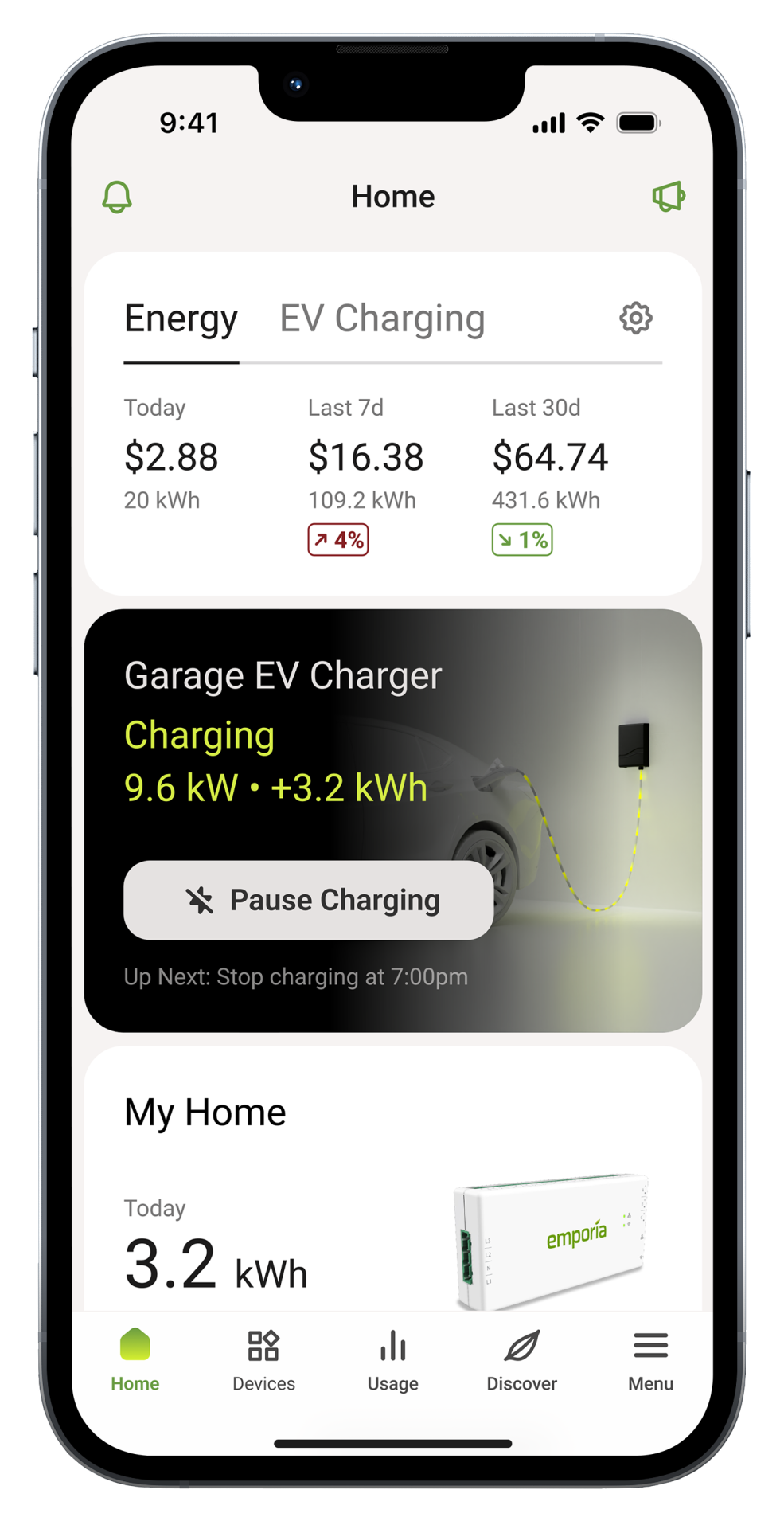
Your energy spending is the first thing you see: today, this week, this month. The numbers update automatically based on your utility rate. No spreadsheets or mental math required.
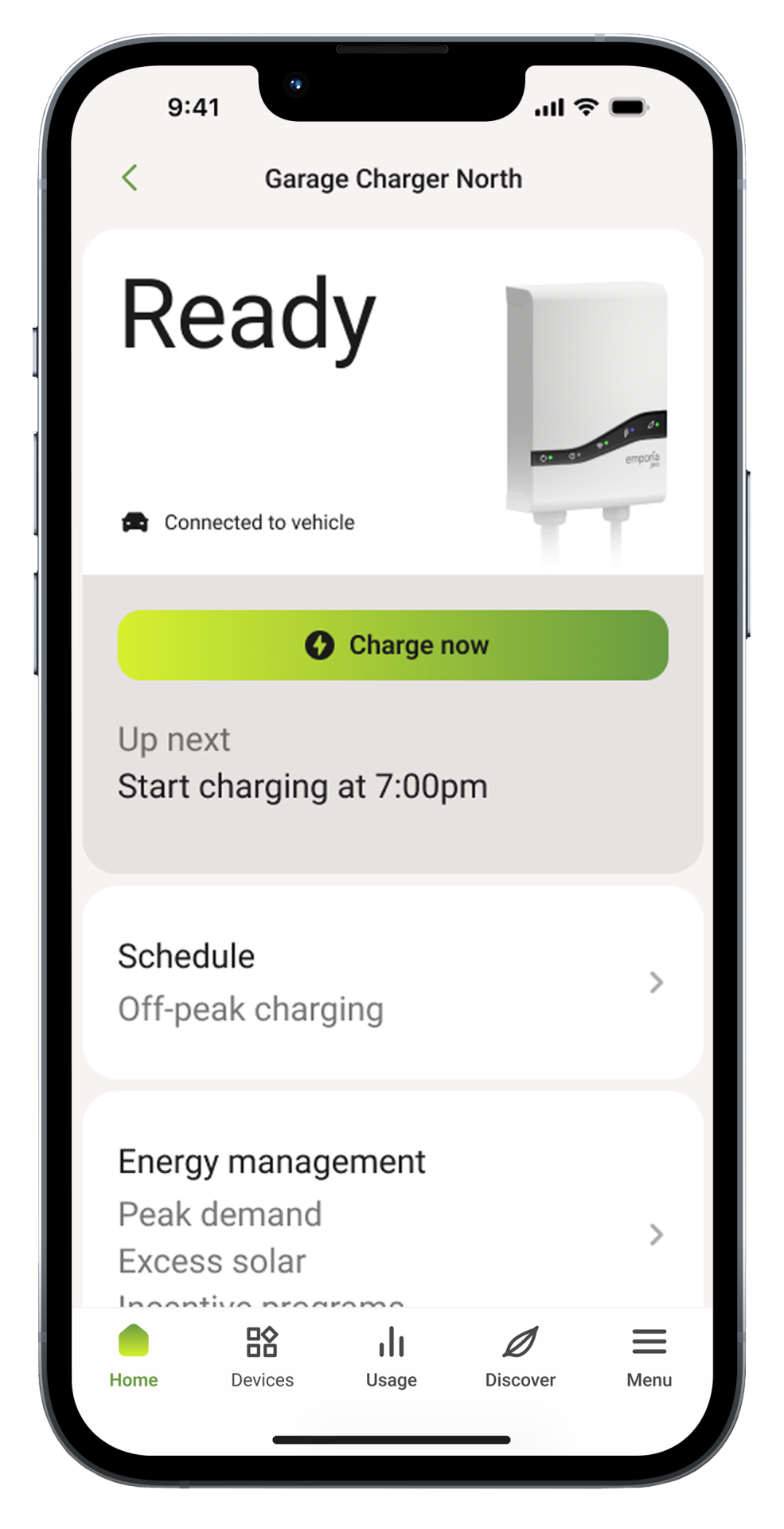
Every Emporia device shows its current status right from the home screen: whether your charger is ready, your plugs are on, or your next scheduled session is queued up. Tap any device to see more detail, or just check the home screen and move on.
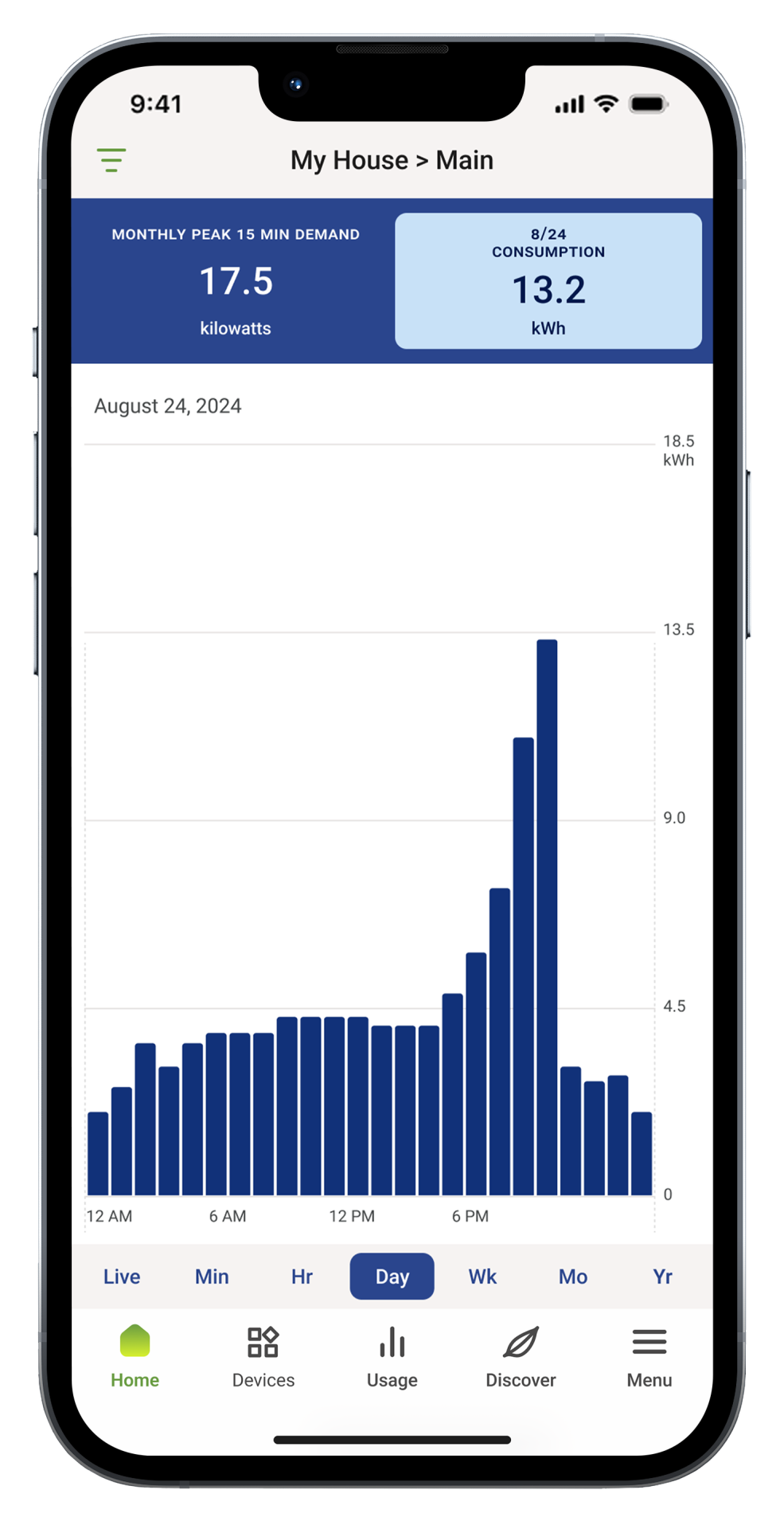
With a Vue Energy Monitor, see where your energy actually goes, circuit by circuit and hour by hour. Find out which appliances cost the most and spot patterns over time.
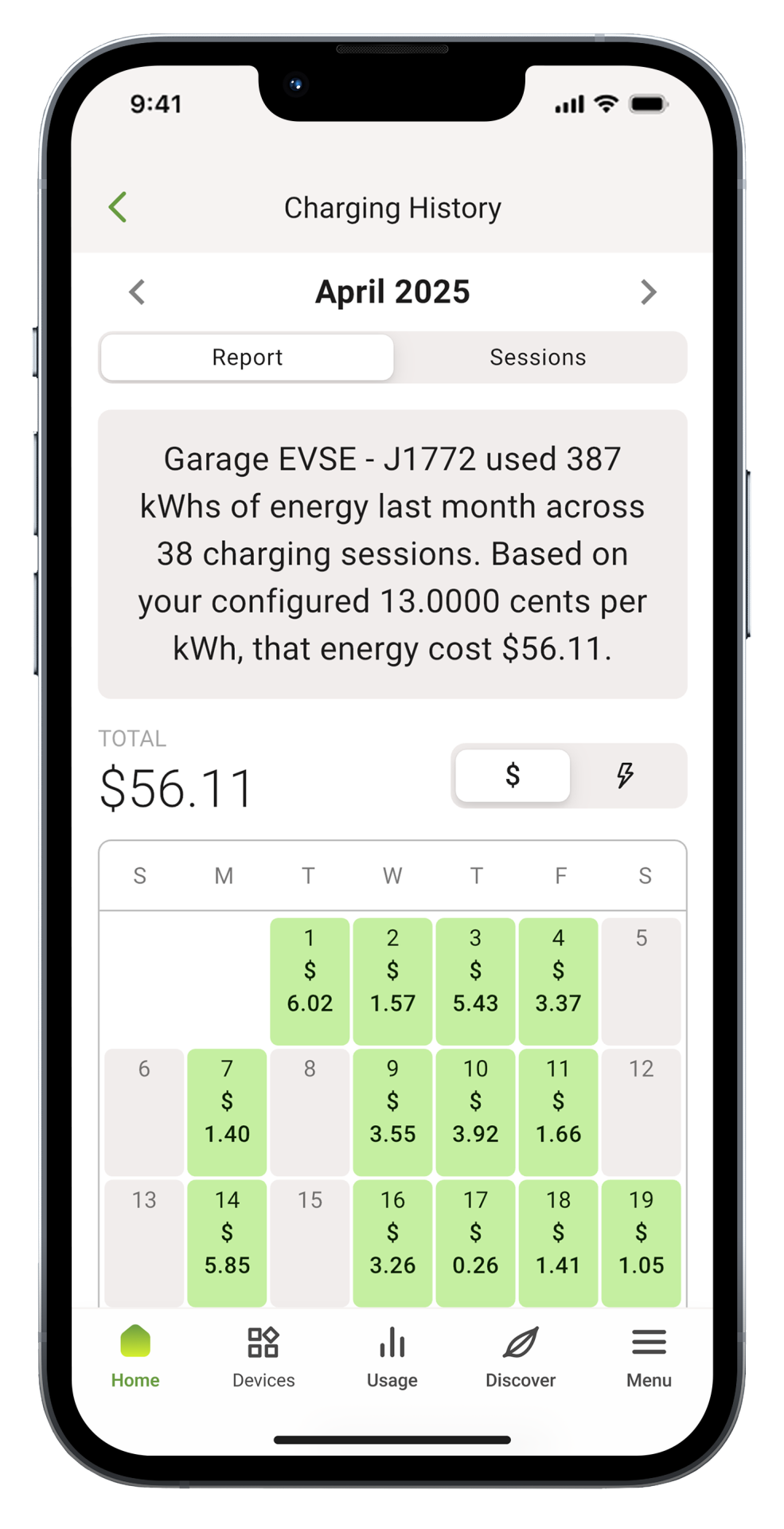
Every charging session is logged automatically, broken down by cost and energy. You can see what you spent per day, per month, or per individual session. It's all there when you want it.
Set them up once, and the savings show up automatically.
Automatically shift energy use to the cheapest times. The app knows your utility rates and schedules your devices to run when electricity costs the least, so you set it up once and the app handles the timing from there.
Learn More →Keep your home's total power draw below a maximum threshold you set. When usage approaches your limit, the app automatically adjusts connected devices to prevent costly peak demand charges on your bill.
Learn More →Use more of the energy your panels produce. If you have solar, the app schedules your devices to run when your panels are producing the most, so you use your own energy first and buy less from the grid.
Learn More →Verified customer Scott B."The app is great! You can watch what is happening in real time."
Verified customer Verified Customer"I really like the Home Summary! This was a great idea giving a nice summary of energy usage. I like the monetary alongside the energy usage data."
Verified customer Verified Customer"Love being able to track cost per charge."
Verified customer Verified Customer"I also use the Vue energy monitor in my circuit breaker panel. One app works with all of it."
Chargers, Vue monitors, smart plugs, and batteries all live in a single app. When you add a new device, it appears on your home screen automatically with no separate apps or extra accounts needed.
Your smart thermostats, appliances, and other connected devices work right alongside your Emporia products for a more complete picture of your home's energy.
Emporia customers around the world use the app every day to understand their energy use and keep their costs down.
Some things are easier on a bigger screen. Try the web portal for changing circuit names, picking utility rates, and viewing detailed usage data. Device setup happens in the mobile app. Everything else works on both.
Yes, completely free with no subscription, no in-app purchases, and no paywalled features. Everything in the app is included when you purchase any Emporia device. Download it from the App Store or Google Play and all features are available from the start.
The app works with all Emporia products: EV chargers (Classic and Pro), Vue Energy Monitors (Vue 2 and Vue 3), Smart Plugs, the Home Battery, and the V2X Bi-Directional Charger. Every device shows up on the same home screen with no separate apps or extra accounts needed.
No. The Emporia app works with any Emporia product: EV chargers, smart plugs, home batteries, and more. It also connects with third-party devices like thermostats and connected home appliances. The Vue Energy Monitor expands what you can see, adding circuit-level breakdowns, appliance identification, and whole-home energy tracking, but it's not required to use the app.
You enter your utility rate plan once in the app (or the app can detect it automatically in supported areas) and Smart Scheduling takes it from there. It shifts your EV charging and device schedules to run during the cheapest hours of the day, typically late night or early morning for time-of-use plans. Once configured, there's nothing to manage. The app handles the timing every day automatically.
Yes. The Emporia app connects with 100+ smart home devices including popular smart thermostats, appliances, and connected devices. They appear alongside your Emporia products so you get a more complete picture of your home's energy use without switching between apps.
The only functional difference is device onboarding: Bluetooth setup for new Emporia devices happens in the mobile app. All other features, including monitoring, scheduling, and device control, are available in both the mobile app and the web portal at web.emporiaenergy.com.
The Emporia app supports English, Spanish, French, German, and Italian, with more languages added over time. See the latest language support details in our Help Center.
Yes. The Emporia web portal at web.emporiaenergy.com gives you full access to your energy data from a browser. It's a good option for reviewing detailed usage history, renaming circuits, or changing utility rate settings where a bigger screen helps. Device setup and onboarding still happen in the mobile app.
Download the app on iOS or Android, create a free account, and follow the in-app setup guide for your Emporia device. Most devices are up and running in under 30 minutes. Once connected, your home screen shows live energy data, device status, and your current cost tracking automatically.